ZerσSigma Dashboard Quickstart
Understand the structure behind price.
ZerσSigma uses options positioning and modeled Greek exposures to help traders understand market structure. Learn what the charts reveal, how to compare them, and how to build a structural read that evolves with the session.
What an exposure chart is telling you
Greeks measure sensitivity to price, volatility or time. The platform weights these sensitivities by open interest or trading volume to show exposure concentrations across strikes.
Open interest
Outstanding contracts at the latest reported snapshot. OI weighting emphasizes established positioning and where it concentrates.
Volume
Contracts traded during the session. Volume weighting emphasizes activity; both opening and closing trades contribute.
Dealer positioning
Exposure profiles provide modeled dealer positioning context. Read them alongside price and the selected expiration.
Six Greeks, read by strike
Each exposure chart answers a different question. Start with concentrations near spot, then consider which sensitivity matters as market conditions change.
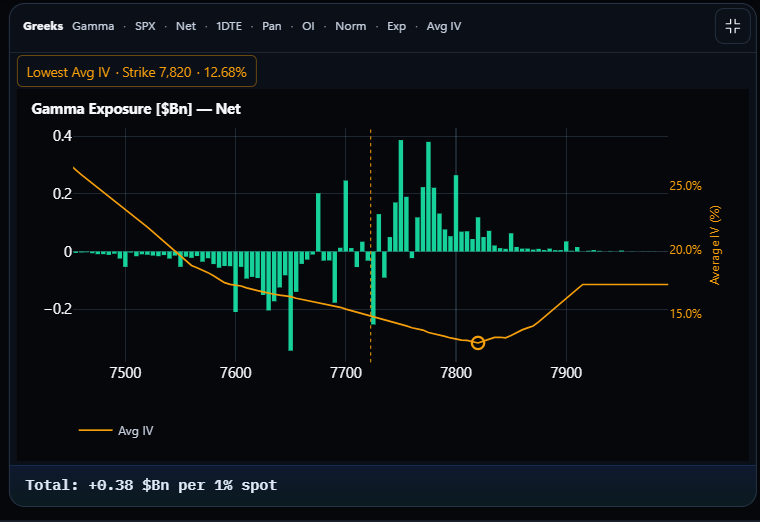
Gamma
- Measures
- How Delta changes as the underlying price moves.
- Chart reveals
- Where gamma sensitivity concentrates across strikes.
- Look for
- Clusters near price that may matter for volatility suppression or amplification under the positioning model.
Delta
- Measures
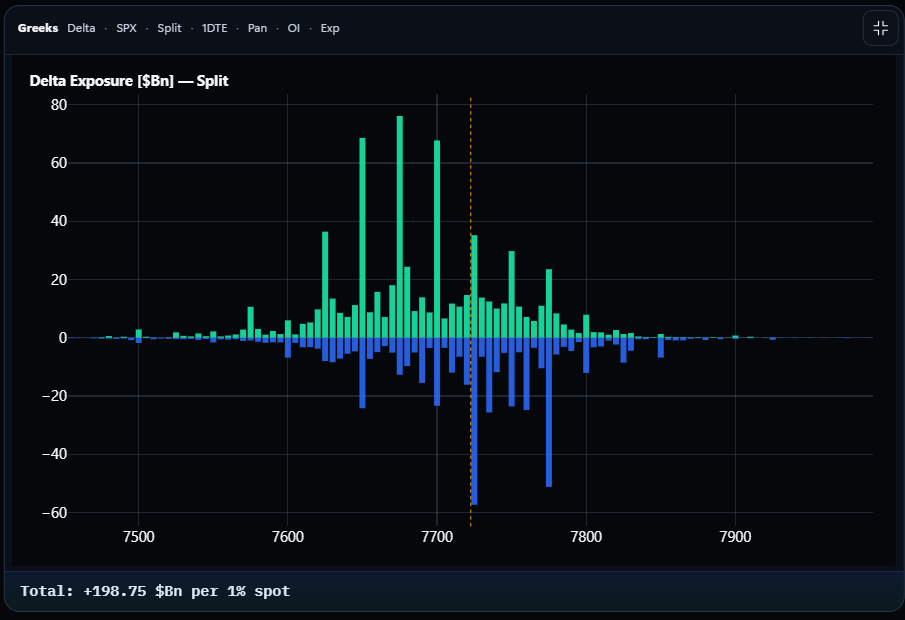
- Option-price sensitivity to the underlying.
- Chart reveals
- Directional exposure and its distribution across strikes.
- Look for
- Concentrations above and below spot, and call/put contributions that offset in Net.
Vanna
- Measures
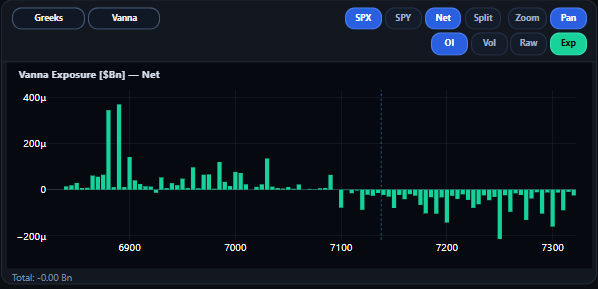
- How Delta responds to implied-volatility changes.
- Chart reveals
- Where directional exposure is sensitive to changes in volatility.
- Look for
- Concentrations near price when IV changes, as context for potential shifts in hedging pressure.
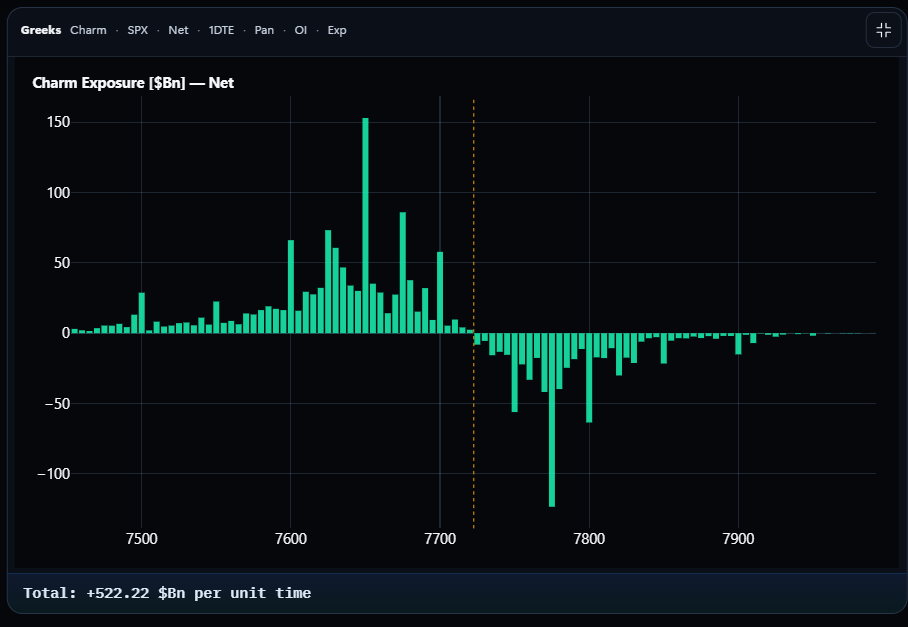
Charm
- Measures
- How Delta changes as time passes.
- Chart reveals
- Where directional sensitivity to time concentrates.
- Look for
- Short-dated concentrations approaching expiration, when time passing can alter the positioning picture.
Speed
- Measures
- How Gamma changes as the underlying moves.
- Chart reveals
- Where gamma sensitivity itself may change rapidly.
- Look for
- Areas near spot where a price move could materially reshape the Gamma profile.
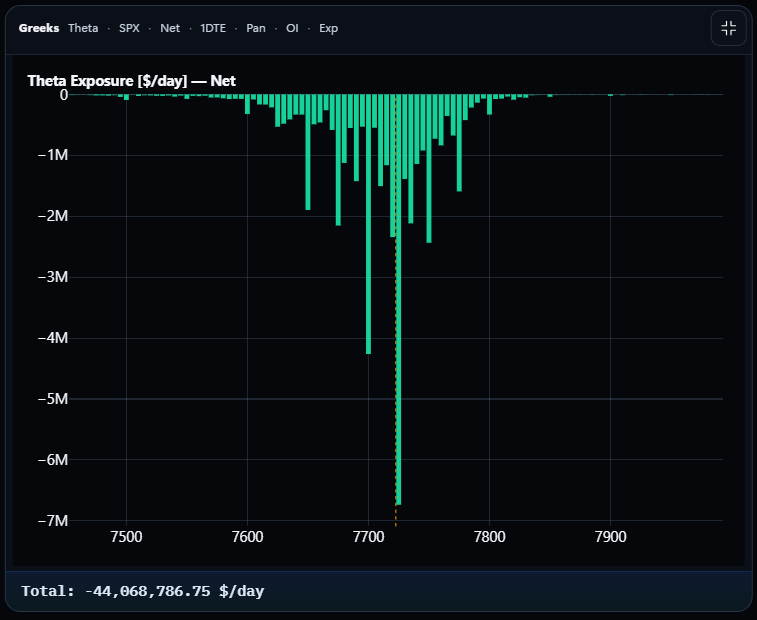
Theta
- Measures
- Option-value sensitivity to the passage of time.
- Chart reveals
- Time-decay exposure across strikes, shown in dollars per day.
- Look for
- Where decay concentrates relative to price and expiration; Theta describes option value, not a change in Delta.
VEX means Vanna exposure; Vega measures option-value sensitivity to implied volatility. Additional supported exposures include Vega, Vomma and Zomma. Compare concentration and shape, not magnitudes across Greeks with different units.
What each Gamma control changes
Normal Gamma highlights where gamma exposure is concentrated across strikes. DA-GEX incorporates delta weighting to add directional context, helping traders identify where modeled dealer hedging pressure may be concentrated.
Comparing both views gives traders additional structural context. Change one control at a time to see what contributes to the profile.
Net versus Split exposure
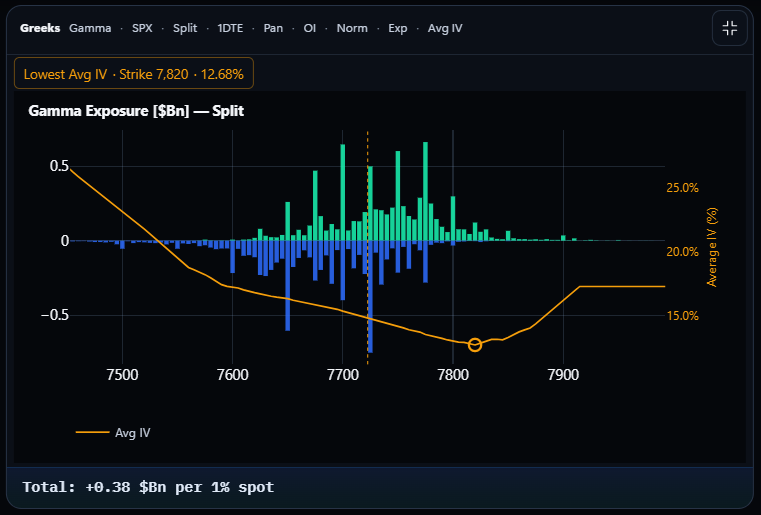
Net summarizes the signed exposure. Split reveals separate call and put contributions, including concentrations that offset in Net. Calls are green; puts are blue.
Open interest versus volume weighting
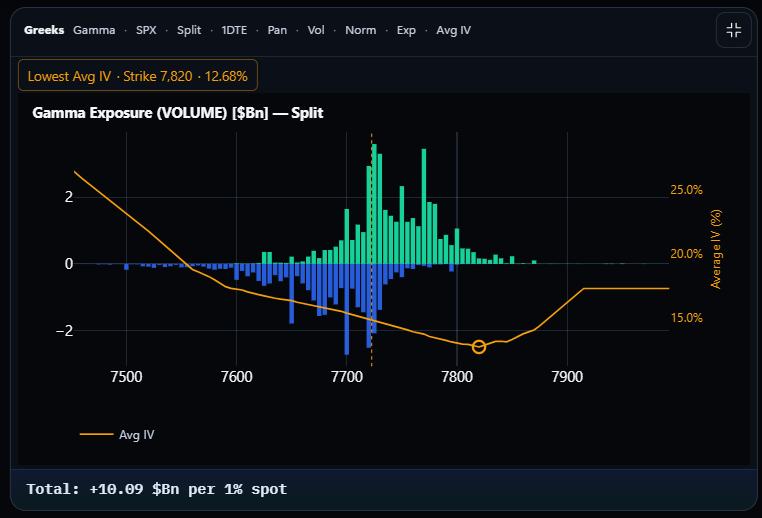
OI emphasizes outstanding positioning; Volume emphasizes traded activity. Look for strikes attracting activity away from established OI concentrations. Use each chart’s labeled scale when comparing their shapes.
Normal Gamma versus Delta-Adjusted Gamma Exposure
Hold Split and OI constant to see how delta adjustment changes the exposure profile.
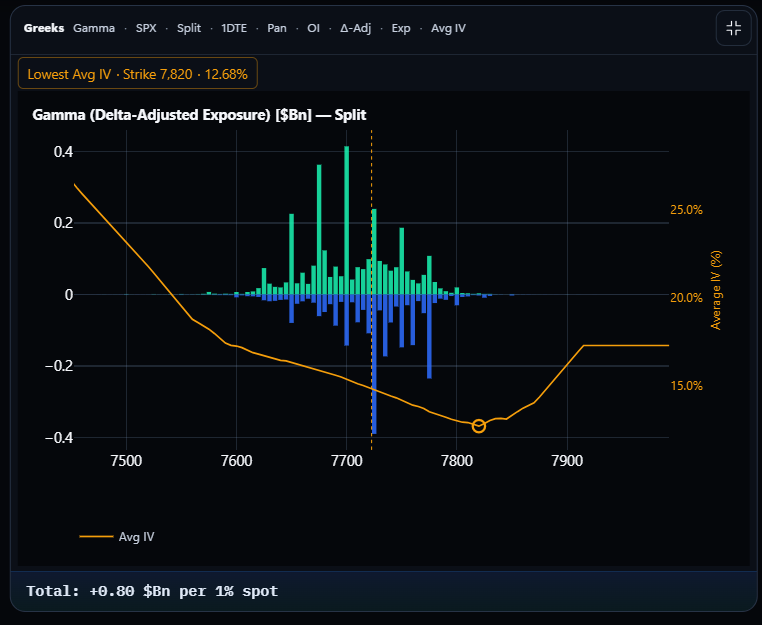
Modeled dealer hedging activity may dampen or reinforce price movement under different positioning environments. Read these exposures alongside price action.
These SPX · 1DTE examples illustrate the dashboard controls, not a simultaneous market comparison. The orange curve shows Average IV on its own right axis.
Reading DDOI
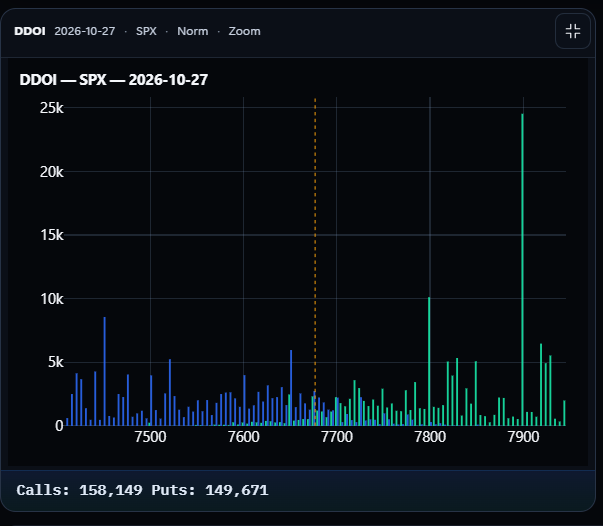
DDOI highlights concentrations of call and put open interest across strikes. These concentrations help traders identify potential structural support and resistance, which can then be evaluated alongside Greek exposures and price action.
- Find the larger call and put concentrations around spot.
- Note whether they sit above, below or close to the current price.
- Cross-check those strikes against Gamma exposures and observed price behavior.
Bringing the exposures together
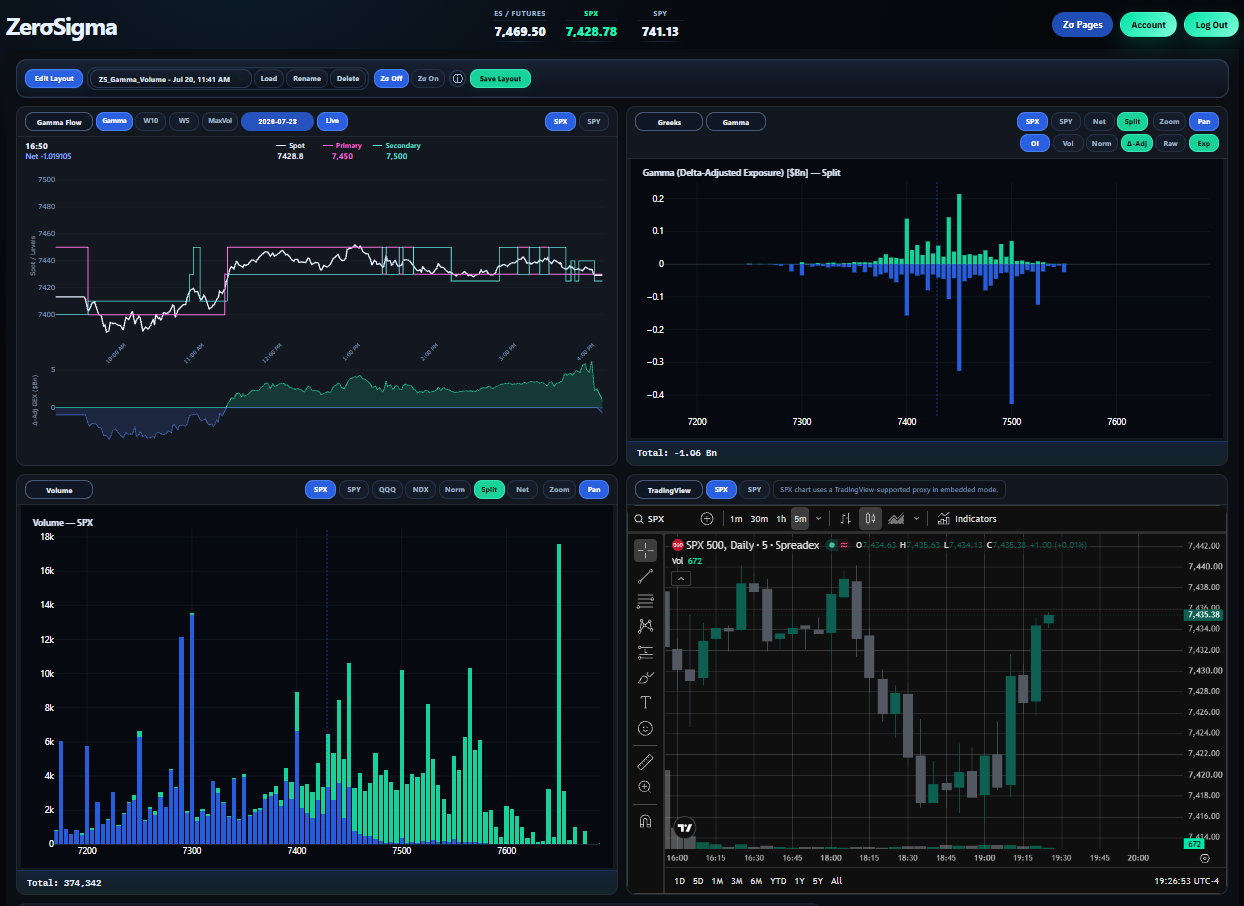
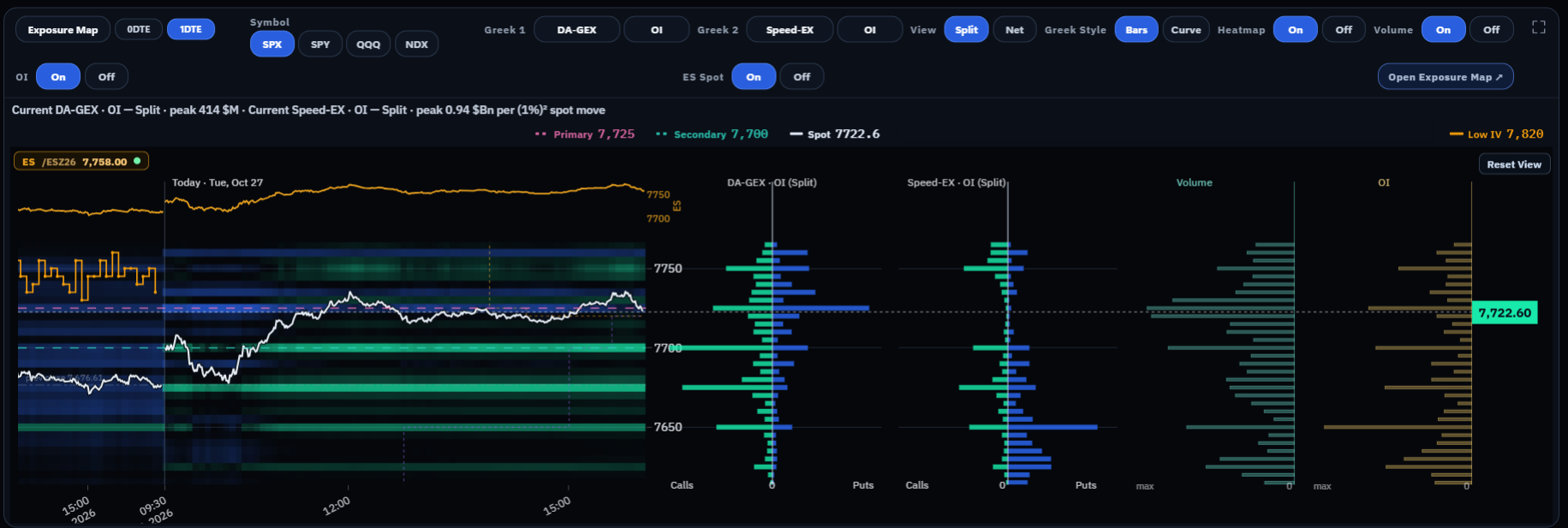
Evaluate multiple dimensions of positioning in the same price context. Exposure Map brings Greek profiles, OI, Volume and price into a unified workspace, reducing the need to switch between isolated charts.
Compare exposures
Select Normal Gamma or DA-GEX, add Speed or another supported Greek, and use Net/Split and OI/Volume controls to examine the composition.
Connect to price
Follow price relative to the concentrations. Compare OI and Volume at the same strikes to distinguish positioning from activity.
Assess confluence
Agreement highlights an area worth monitoring. Disagreement can reveal a changing sensitivity or activity pattern.
Primary and Secondary mark modeled Gamma Flow concentration levels for supported Gamma exposures. They are available in the live Exposure Map with Premium and Alpha.
Explore these tools with live market data.
Explore dashboard accessHow Gamma Flow changes the intraday read
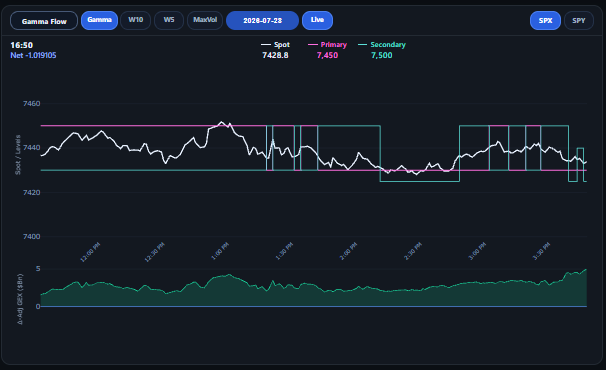
An exposure profile is a snapshot. Gamma Flow shows how gamma positioning and structural levels evolve through the session, helping you see whether the structure is holding, rebuilding or shifting.
Follow the levels
Check where Primary and Secondary stay stable or move to different strikes.
Relate them to price
Observe whether price pauses, crosses or moves away while the exposure profile changes.
Reassess the structure
Return to DDOI and Exposure Map when the intraday picture diverges from your initial read.
How to build a market structure read
Confirm symbol, date, expiration and data state. Before the open, Volume may be sparse or reflect the previous session.
- 01 / DDOI
Locate positioning
Identify nearby OI clusters and candidate structural reference zones.
- 02 / Gamma & DA-GEX
Read the environment
Compare where gamma concentrates and where delta adjustment changes its emphasis.
- 03 / View controls
Inspect the contributors
Use Net/Split and OI/Volume to distinguish offsetting exposure from current activity.
- 04 / Exposure Map
Compare the layers
Record agreement and disagreement among Greeks, OI, Volume and price.
- 05 / Gamma Flow
Plan the reassessment
Monitor the session and revisit those observations when positioning or levels shift.
For workspace setup, see How It Works.
Playback, Alpha and iPhone
Live Exposure Lab is the primary dashboard experience. Premium includes live exposure tools, Exposure Map, Gamma Flow and current DDOI. Alpha adds historical capabilities.
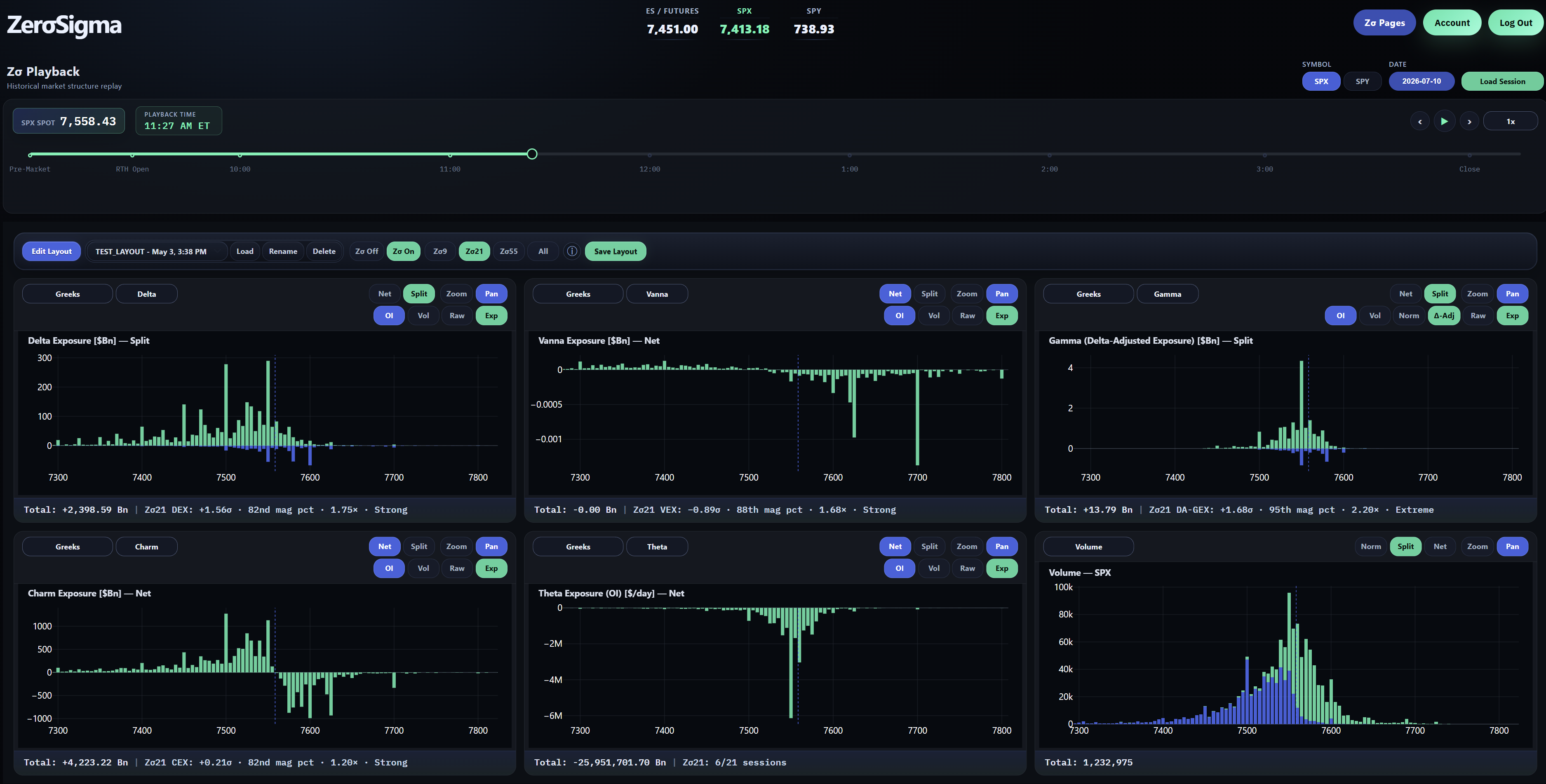
Playback and Zσ Levels · Alpha
Review available SPX or SPY sessions along a shared timeline. Alpha also adds historical DDOI, historical Gamma Flow and Zσ Levels for historical-distribution context on supported exposure cards.
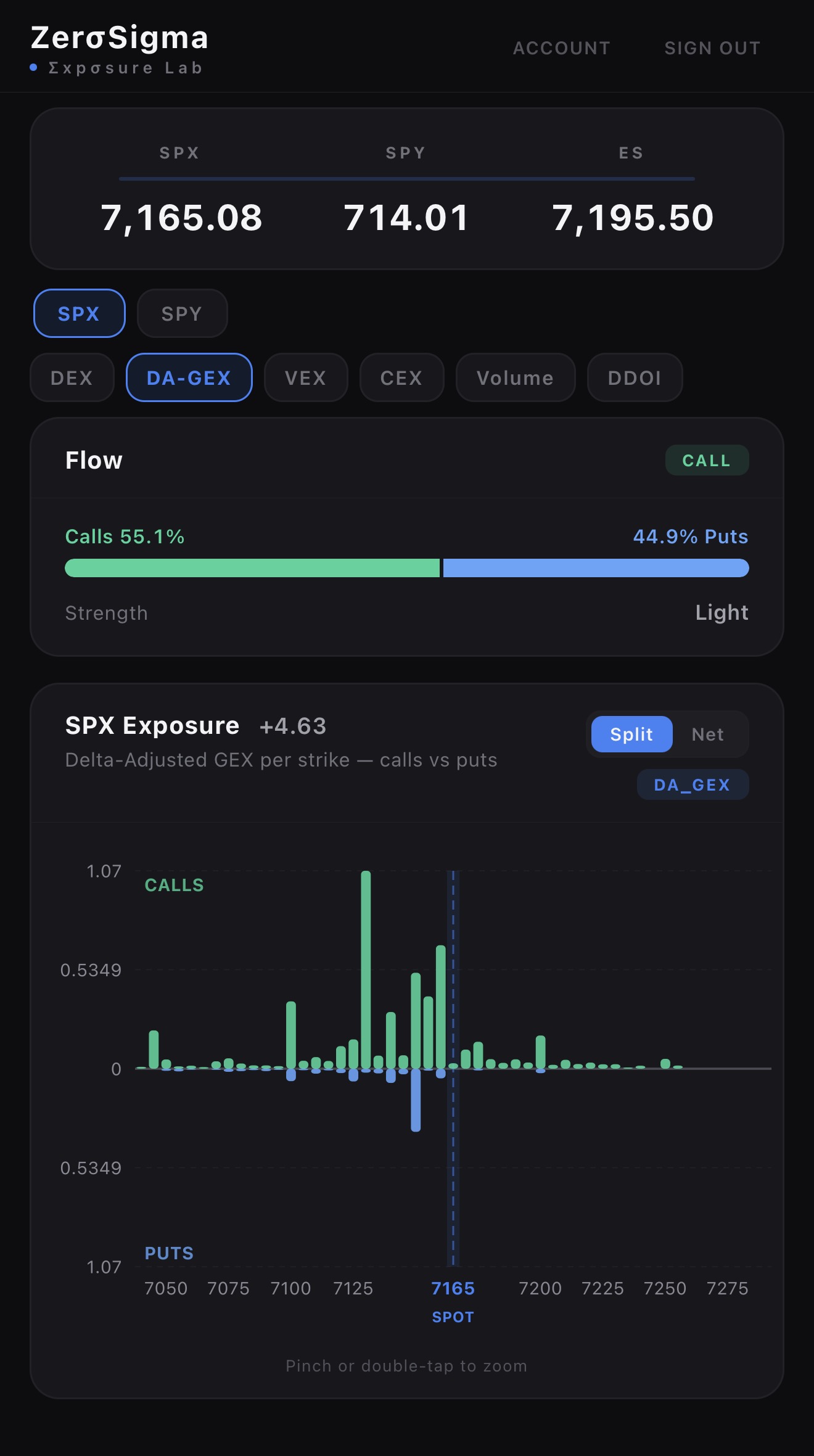
iPhone · Premium + Alpha
Supported analytics travel with you on the same account. The companion app is included with both tiers; features differ and mobile does not include Playback.
See the structure behind the move.
Explore the live ZerσSigma dashboard.
Educational guide. Modeled exposures estimate positioning; they do not directly observe dealer inventory or predict price action. Concentrations and levels are analytical context, not trading signals or guaranteed outcomes. Options involve risk.